Search results for Crosswalk
Crosswalk community
One keyword maps to one global community path.
People
Not Found
Tweets including Crosswalk
New crosswalks in Monmouth Beach, NJ for America 250
Every city should do this


Vigilante paints crosswalk across Hollywood intersection after LA city refused to act

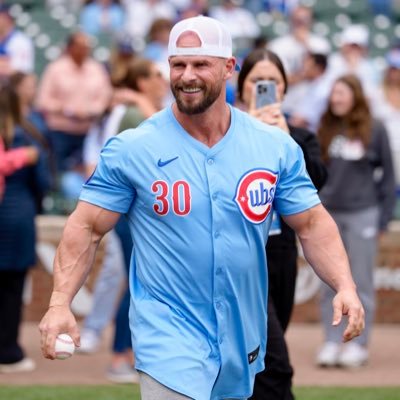
One year ago today I received an email from a father that his 21 year old son Anthony was walking in a crosswalk in Huntington Beach when a car hit him going 60 mph then left the scene in a hit and run. His son shattered both legs, broke all his ribs, his collarbone and much more. The father was so grateful his son was alive, but being he and his son are both gym rats that love to follow me, he asked me if I could email him some words of encouragement to help lift his spirts up as he lay in the hospital. I did him one better. Being that it was so close to me, I immediately called all local hospitals looking for a trauma center with his son in it. After calling 5 hospitals, I found where he was and drove over to surprise him. I knocked on the door and walked in to see the biggest smile on Anthony’s face as he said “No way!”. I explained to him that his father emailed me and I decided sending him an email just wasn’t enough that I had to come see him. Anthony has spent the past year with family up in Seattle going through a brutal recovery but is back down in SoCal by me this week and I can’t wait to see him. Please continue to keep this young man and in your thoughts and prayers. 🙏🏼
Show more


My grandfather in Florida sits in an armchair for eighteen hours a day.
He tells me he feels like a discarded ghost.
In Tokyo, an 83-year-old retired carpenter stands at a four-lane crosswalk at 7:30 AM.
Green volunteer sash.
Bright yellow safety flag.
At 7:40 AM, forty elementary school children turn the corner.
They don't ignore him.
They run toward him like he is a rock star.
"Good morning, Grandpa Kenji!"
"Look at my new eraser!"
The old man beams with fierce, protective pride.
He raises his yellow flag, steps into the road, halts three lanes of city traffic with one hand, and high-fives every single child as they cross safely.
In America, we put our elderly away in facilities to die of loneliness.
In Japan, we put a flag in their hands and make them the guardians of the future.
He doesn't have an empty life.
He has forty reasons to wake up before dawn.
Show more


Mount Royal! Canada! Spectrum Street Epistemology! Mats are down.
@peterboghossian @FrancesWiddows1 @_CryMiaRiver
Come play! Faculty of Arts, next to the Progress Pride crosswalk. Until 3:30.
Show more


Axios: Virginia councilman goes viral campaigning for more sidewalks
Miller, a 78-year-old cardiologist, is one of 11 candidates running for four at-large seats on Danville City Council.
And his video arguing sidewalks are a public safety issue has racked up over 8 million views across TikTok, Instagram and X.
"It's the crosswalk a senior uses to get to the grocery store. It's the path a child walks to school, or the way a neighbor rolls a wheelchair," he says.
Show more


Right before the Cybercab launch event started, two guys from the @Tesla_AI came up to me and introduced themselves.
One was @pduan, the legend who brought us the "raw photon count" tech that allows FSD to see so much more than what is visible in the image. The other was the guy who called me 6 years ago when Tesla was about to send FSD Beta 1 to my car (best phone call of my life).
They have worked at Tesla for nine years and twelve years respectively, pouring their blood sweat and tears into making what we experienced tonight a reality. Believe me, it was not as easy as they make it look.
These guys are heroes to me, and I told them that. They worked for years and years on something that everyone thought was impossible, but has now changed our lives and will change and save countless more lives in the future. They've given a gift to the world that the world hasn't fully yet wrapped their head around or appreciated.
Look at the recent story where a toddler fell down in the middle of a crosswalk, and a Waymo stopped 13 feet away. By all accounts that toddler may be alive today only because it was a Waymo approaching and not a distracted teenager on their phone. But did the parent appreciate their child's life being protected? No, they actually complained to the city, complained to the state, complained to the federal government, complained to the media. They complained that their child *wasn't* run over, and this was a news story. But if a human had run their child over, the sad thing is it wouldn't even be a news story. It would just be Thursday. It would blend into the abyss of the tens of thousands of Americans and millions of humans who lose their lives in car crashes every year.
I can't imagine the persistence, courage, and brilliance it took to dedicate a decade of your life to such a thankless task, where you've done something truly beautiful for the world but most are afraid of the technology, trying to stop it to enrich themselves, or simply too stupid to understand it. But they did it anyway, and all of us get to enjoy the convenience and safety that results.
Thank you, thank you, thank you Tesla team. Thank you to the AI team that trained the models, thank you to the drivers that evaluated them. Thank you to the Charging team building out the charging network for these Robotaxis. Thank you to the manufacturing team that pioneered new technologies that will bring these low cost product to the masses.
We've come so far, but this is just the beginning. One day pure vision end to end self-driving won't be a secret little niche technology. It will be as ubiquitous as the iPhone or the internet. When that day comes, many will sing the praises of the brave men and women who built this future out of nothing but a vision and their own talents.
But until then, know that there are people out there who see the beautiful thing you've done. That all the late nights and stressful days added up to something that's changed the way we live. You are all legends in our eyes, and this weekend is dedicated to you. Thank you ❤️
Show more

Neuroimmune crosstalk in the lungs induces eosinophil recruitment and type 2 inflammation via norepinephrine, which could drive sex differences in allergic asthma in mice.
Learn more in @SciImmunology:
Show more
